

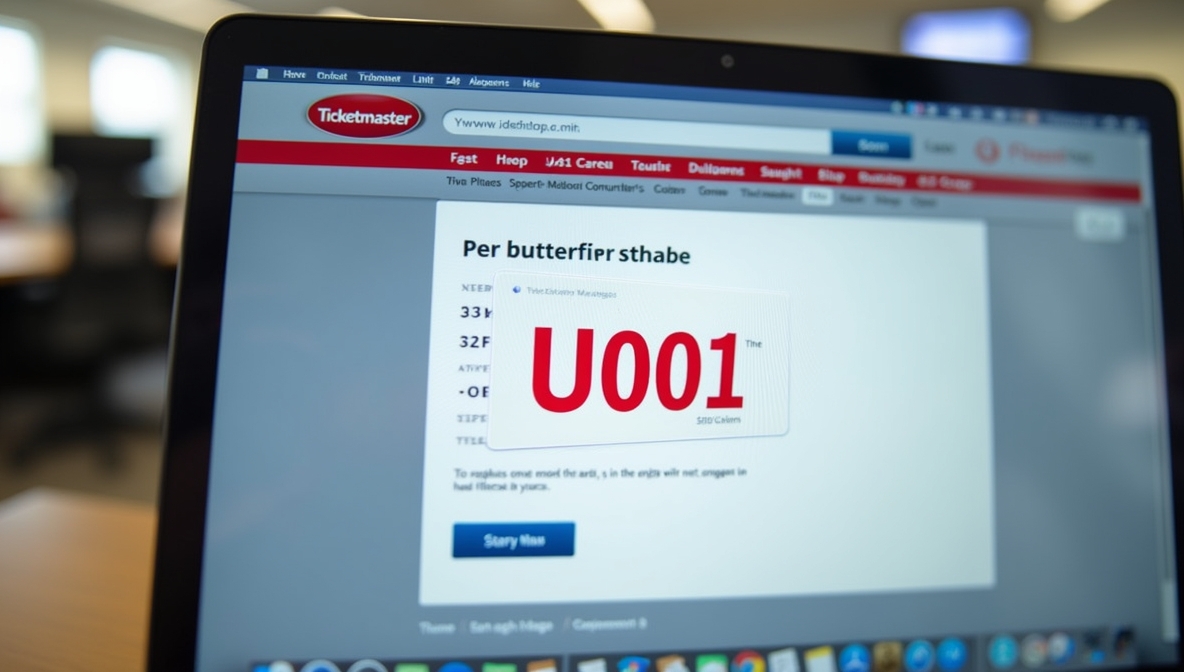
If you’ve ever tried to buy tickets for a major concert, sports event, or Broadway show, you already know how stressful the checkout process can be—especially when technical issues pop up at the worst possible time. One of the most common and frustrating issues users encounter is Ticketmaster Error U001, also known as Ticketmaster Error Code U001.
This problem can appear suddenly during the purchase process, often preventing you from logging in, adding tickets to your cart, or completing a transaction. In this comprehensive guide, we’ll explain what error code U001 Ticketmaster means, why it happens, and—most importantly—how you can fix it fast.
What Is Ticketmaster Error U001?
Ticketmaster Error U001 is a general authentication or access-related error that typically appears when Ticketmaster cannot properly verify your request. This may happen when:
- The system does not recognize your login session
- There is a temporary issue with your browser
- Too many users are trying to access the same event
- Ticketmaster is blocking automated or suspicious activity
- Network settings or cookies are interfering with the request
Because the platform uses strict security protocols, anything that appears inconsistent with normal browsing behavior may trigger Ticketmaster Error Code U001.
The error message often appears on a plain screen with very little explanation, leaving many users confused and unsure what to do next. But the good news is that this error is typically fixable with just a few steps.
Common Causes of Ticketmaster Error U001
To troubleshoot effectively, it helps to understand what usually causes error code U001 Ticketmaster. Below are the most frequent triggers:
- Browser Cache or Cookies Conflict
Ticketmaster relies heavily on cookies for login sessions, queue access, and security. Corrupted or outdated cookies can cause the system to reject your request.
- Outdated Browser Version
Older browser versions may not be compatible with Ticketmaster’s updated security and ticketing features.
- Network Restrictions
Corporate networks, school Wi-Fi, or public hotspots often block certain scripts and security elements Ticketmaster needs to load the page properly.
- VPN or Proxy Interference
If you’re using a VPN or proxy, Ticketmaster may flag the activity as suspicious and return Ticketmaster Error Code U001.
- High Traffic or Queue Overload
When millions of people attempt to buy tickets at the same time, the system may temporarily reject some requests.
- Session Timeout
If your session expires in the middle of browsing or if you leave the site idle, the system may return Ticketmaster Error U001.
Understanding these causes helps you select the right troubleshooting steps and avoids wasting precious time during big ticket releases.
How to Fix Ticketmaster Error U001 (Fast and Easy Methods)
Here are the most reliable ways to fix error code U001 Ticketmaster so you can get back to buying tickets without interruption.
- Refresh the Page and Try Again
Sometimes the issue is temporary. A simple refresh (Ctrl + R or Cmd + R) often resolves the problem immediately.
If you’re in a waiting room or queue, avoid refreshing, as you may lose your spot. Instead, wait until the system prompts you.
- Clear Browser Cookies and Cache
Corrupted cookies are a major cause of Ticketmaster Error Code U001.
To clear your cache and cookies:
- Chrome: Settings → Privacy & Security → Clear Browsing Data
- Firefox: Settings → Privacy & Security → Cookies & Site Data
- Safari: Preferences → Privacy → Manage Website Data
After clearing the data, restart your browser and try again.
- Use an Incognito or Private Window
Private mode prevents cookie conflicts and loads a clean version of the site.
This alone solves Ticketmaster Error U001 for many users.
- Chrome: Ctrl + Shift + N
- Firefox: Ctrl + Shift + P
- Safari: File → New Private Window
- Disable VPN or Proxy Services
Ticketmaster may block traffic coming from VPNs, proxies, or IPs that look unusual.
Turn off your VPN and refresh the page.
If you need a VPN for privacy, try switching to a different region or server.
- Switch to Another Browser
If the error persists, try using a different browser, such as:
- Google Chrome
- Mozilla Firefox
- Safari
- Microsoft Edge
Certain browsers handle Ticketmaster’s scripts differently, so switching may eliminate error code U001 Ticketmaster.
- Try a Different Device
If possible, switch from:
- Desktop → Mobile
- Mobile → Desktop
- Laptop → Tablet
Sometimes the error is tied to the specific device’s cookies or network settings.
- Reset Your Network Connection
Unstable or restricted networks often cause Ticketmaster Error Code U001.
Try:
- Restarting your router
- Switching from Wi-Fi to mobile data
- Turning airplane mode on and off (mobile)
- Using a different Wi-Fi network
A clean network often clears authentication issues.
- Log Out and Log Back In
If your login session is corrupted or expired, refreshing your authentication token often solves the issue.
Log out → Close browser → Open fresh window → Log in again.
- Check Ticketmaster Server Status
If Ticketmaster is experiencing a major outage due to heavy demand, you may see Ticketmaster Error U001 no matter what you do.
Check social media or Ticketmaster’s status page for updates.
- Wait a Few Minutes
In some cases, the system temporarily blocks repeated requests to protect against bots. Waiting 5–10 minutes before trying again often helps.
How to Avoid Ticketmaster Error U001 in the Future
Here are some tips for preventing error code U001 Ticketmaster during future ticket drops:
- Log In Early
Always sign in at least 10–15 minutes before tickets go on sale.
- Avoid Multiple Windows
Having multiple tabs or devices open can trigger security flags.
- Keep Your Browser Updated
An outdated browser is more likely to cause errors.
- Use a Reliable Internet Connection
Unstable connections lead to failed authentication attempts.
- Avoid Refreshing Too Frequently
Ticketmaster may temporarily block rapid refresh activity.
- Turn Off VPN Before Joining Queue
Start with your real IP address to avoid suspicion.
Is Ticketmaster Error U001 a Sign of Being Blocked?
Generally, Ticketmaster Error U001 does not mean you are banned or blocked.
It is almost always related to:
- Browser issues
- Cookies/cache problems
- Network conflicts
- Temporary server overload
However, if you repeatedly use VPNs, automated extensions, or bot-like behavior, Ticketmaster may temporarily block your activity.
If you think this happened, switch networks, restart your device, and try again after a short break.
When to Contact Ticketmaster Support
If you’ve tried all troubleshooting steps and still see Ticketmaster Error Code U001, it may be time to contact customer support.
You should reach out if:
- You cannot log in from any device
- The error appears for multiple days
- You cannot access your account or tickets
- You are unable to complete a purchase despite a stable network
Provide screenshots and a brief explanation of all the steps you’ve tried. This helps their support team diagnose the issue faster.
Final Thoughts
Running into Ticketmaster Error U001 or Ticketmaster Error Code U001 can be incredibly frustrating, especially during high-demand ticket sales. Fortunately, it is usually a simple, temporary error caused by browser conflicts, network issues, or system overload.
By following the troubleshooting steps in this guide, you should be able to fix error code U001 Ticketmaster quickly and get back to securing your tickets without missing out.